Greetings from Dublin. 🍀
This week we’re saving time + money.
Here’s how in 3 minutes.
💻 Tech Rec
I love the internet.
Literally every time I open my laptop or phone — I’m amazed at all the cool stuff to learn or do online.
BUT sometimes it’s too much, so I need guardrails.
I’ve tested a bunch of these, but this is my current favorite: Screen Zen.

Main reasons/functions:
Time limits on each app you choose (ex: 3 IG opens a day 7 mins each)
Gamified streaks for real incentive to keep the daily streak going
Reliable. I’ve tried a few of these and this one just works well
If this saves you just a few minutes a day that’s HUGE.
Check out Screen Zen here (it’s free).
📱 Screentime
Imagine describing our modern cell phone to someone 100 years ago:
“So everyone has these supercomputers in their pockets, and we all are just addicted to them and mindless scroll for hours each day. It’s kinda wild. But the crazy part is most people just accept it, and don’t do much to change it.”
One simple solution I’ve found helpful is adding the screen time widget to your home screen.
Here’s mine (top right):
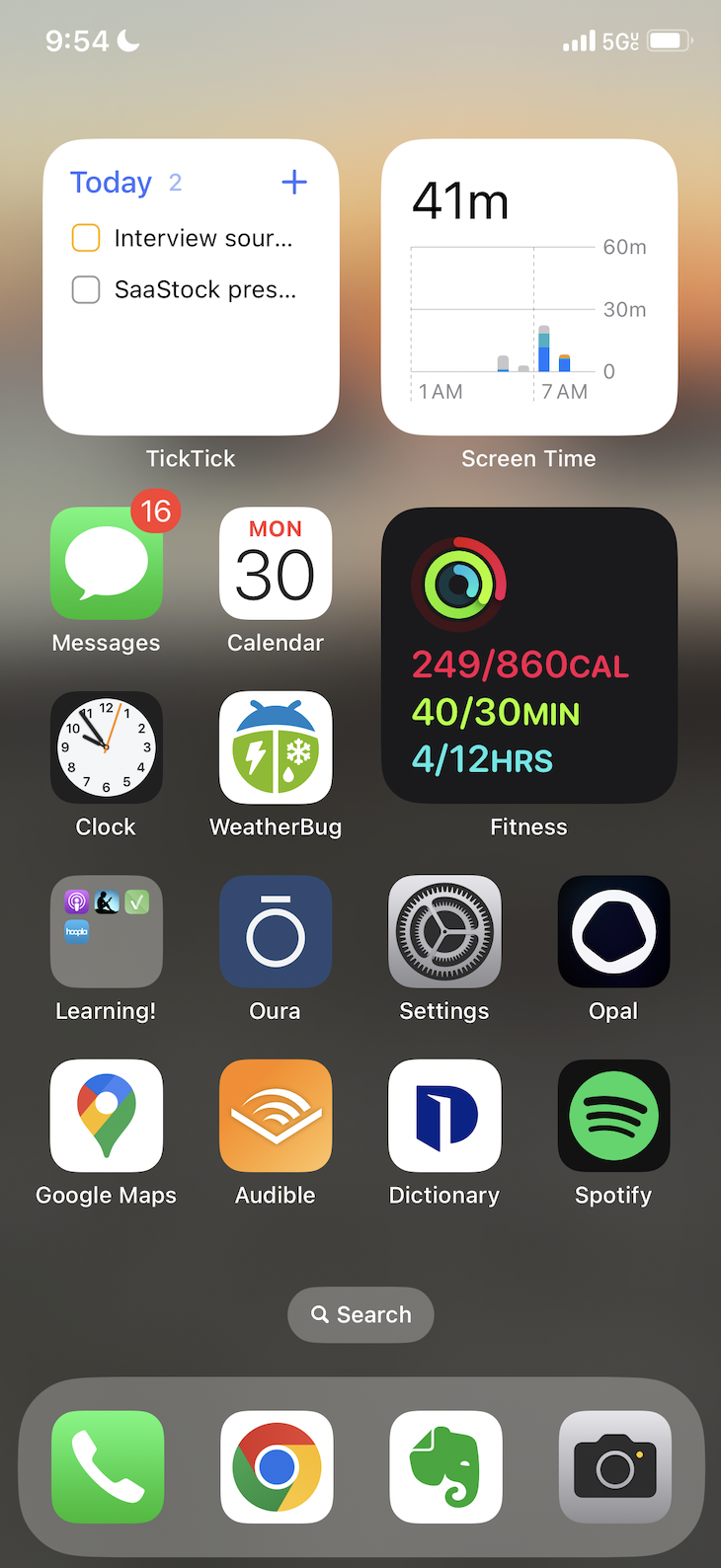
Are you looking at the top-right widget or my other apps?
Of course, I still scroll dumb stuff occasionally but this is a helpful metric to see.
As Peter Drucker says, “What gets measured gets managed.”
Steps (for iPhone):
Hold background until the apps jiggle
Tap + at the top of the screen, then add from the widget gallery
💸 Passive Income vs Expenses
The opposite of passive income is passive expenses.
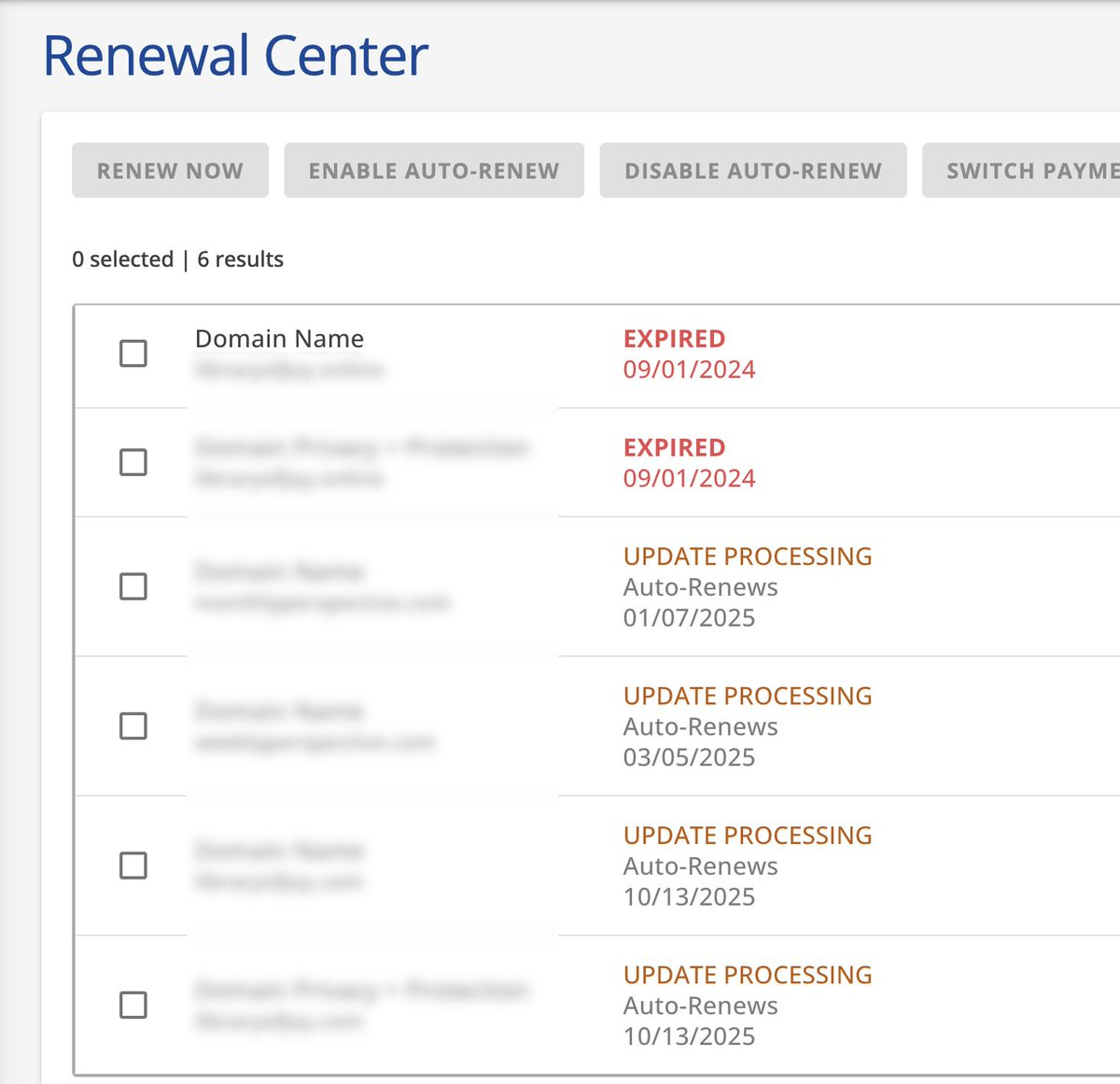
I let 2 domains expire last month and turned off auto-renewal on 4 more.
So think that means I just made free money. AMA.
Salud,
Mitchell
0 comments